> ## Documentation Index
> Fetch the complete documentation index at: https://docs.chartdb.io/llms.txt
> Use this file to discover all available pages before exploring further.

# Import DBML

> Import a **DBML** script into an existing diagram or a new empty diagram in ChartDB.

<div style={{ position: "relative", paddingBottom: "56.25%", height: 0 }}>
  <iframe
    style={{
  position: "absolute",
  top: 0,
  left: 0,
  width: "100%",
  height: "100%",
  border: 0,
}}
    src="https://www.youtube.com/embed/uzvQw5NYaBs?autoplay=1&color=white"
    title="YouTube video player"
    frameBorder="0"
    allow="accelerometer; autoplay; clipboard-write; encrypted-media; gyroscope; picture-in-picture"
    className="rounded-lg"
    allowFullScreen
  />
</div>

<Note>
  When importing into an existing diagram, **tables with the same schema and
  name will be overwritten**.
</Note>

<Steps>
  <Step title="Create New Diagram (Optional)">
    Click **File → New → Empty Diagram**

    <Info>
      Only complete this step if you want to import DBML into a new diagram.
    </Info>
  </Step>

  <Step title="Import DBML">
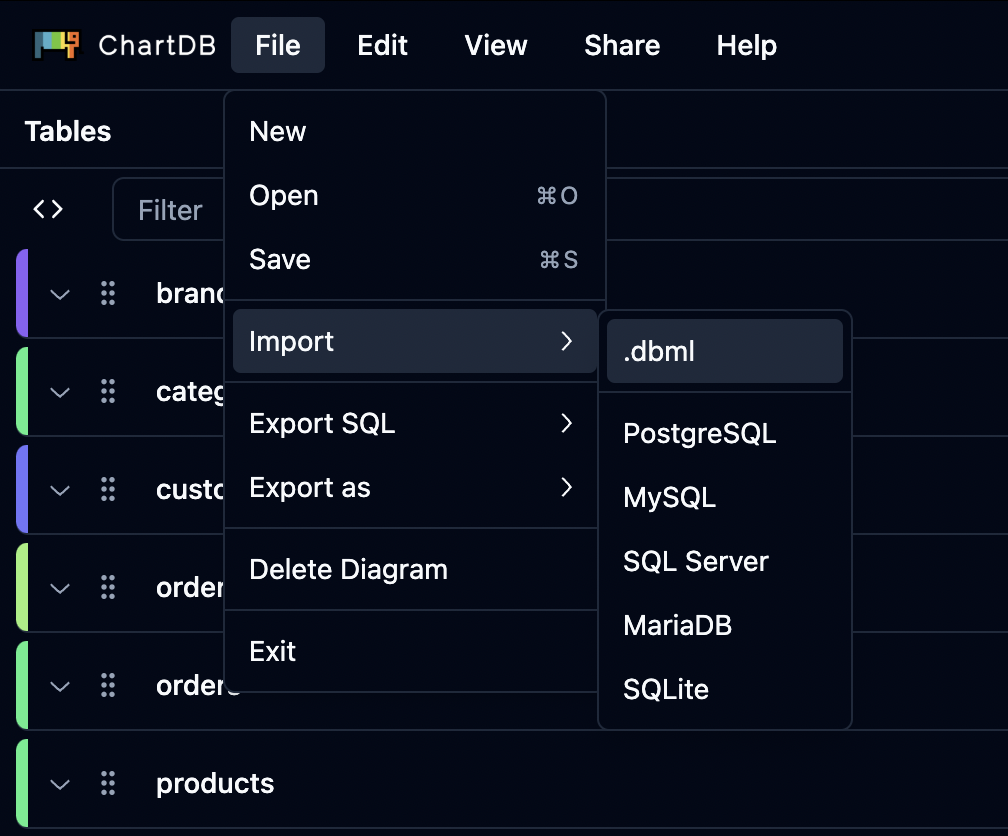
    Click **File → Import → .dbml**

    <Frame>
      <img src="https://mintcdn.com/buckledev/Nk8pE0k5UNFAdU1u/docs/images/file-import-dbml.png?fit=max&auto=format&n=Nk8pE0k5UNFAdU1u&q=85&s=dec3b172a5a1306ad37f0837d1f04368" width="1008" height="836" data-path="docs/images/file-import-dbml.png" />
    </Frame>
  </Step>

  <Step title="Paste and Import">
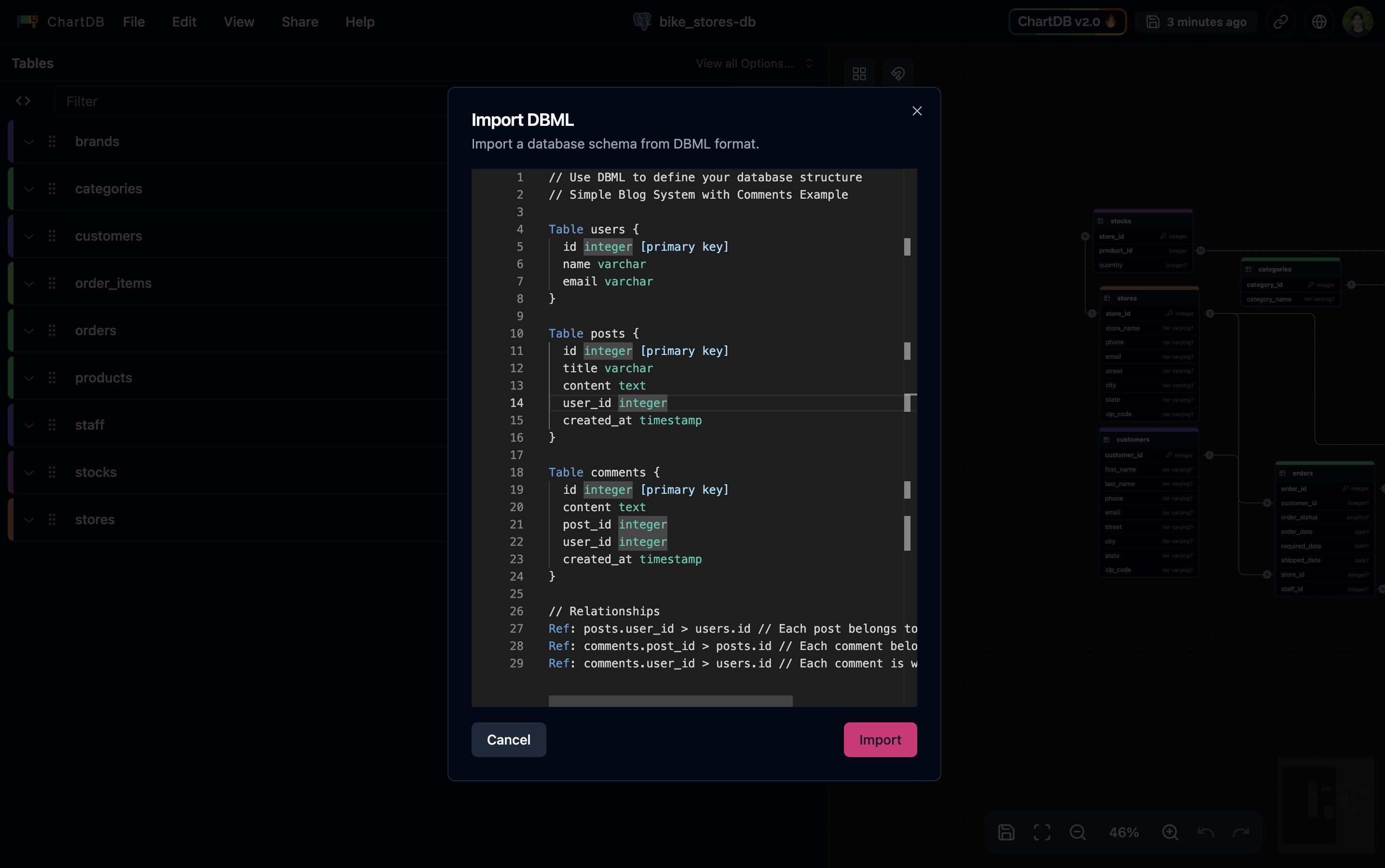
    Paste your **DBML** script and click **Import**
    <Frame>
      <img src="https://mintcdn.com/buckledev/Nk8pE0k5UNFAdU1u/docs/images/import-dbml-editor.png?fit=max&auto=format&n=Nk8pE0k5UNFAdU1u&q=85&s=3ab63bc47c197eaa2d7ed47109041092" width="2872" height="1800" data-path="docs/images/import-dbml-editor.png" />
    </Frame>
  </Step>
</Steps>