> ## Documentation Index
> Fetch the complete documentation index at: https://docs.chartdb.io/llms.txt
> Use this file to discover all available pages before exploring further.
# Export Image
> Save your database diagrams as PNG, JPG, or SVG images in ChartDB.
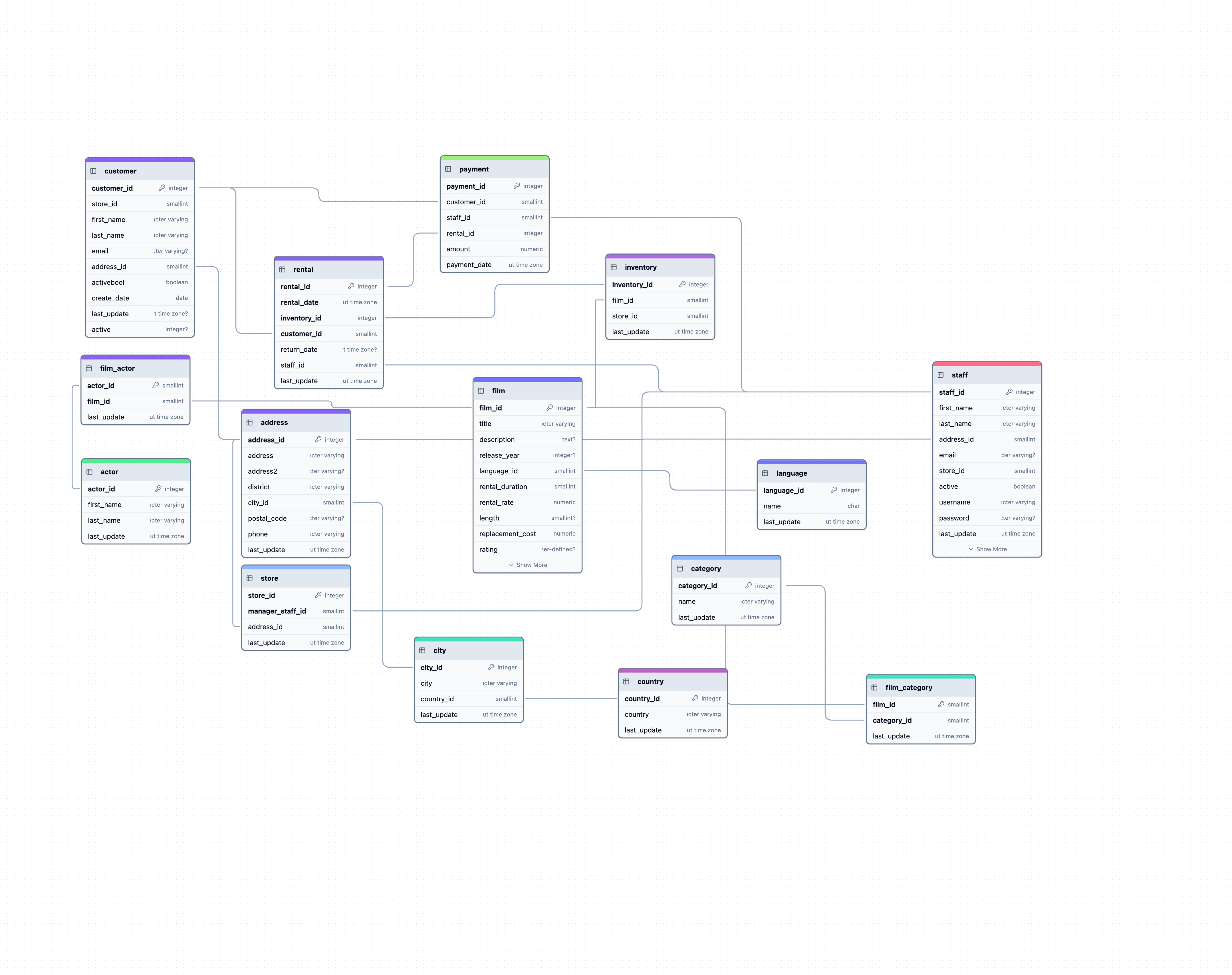 Save your diagrams as high-quality images in PNG, JPG, and SVG formats. This is perfect for presentations, documentation, or sharing your database design with colleagues.
## How to Export
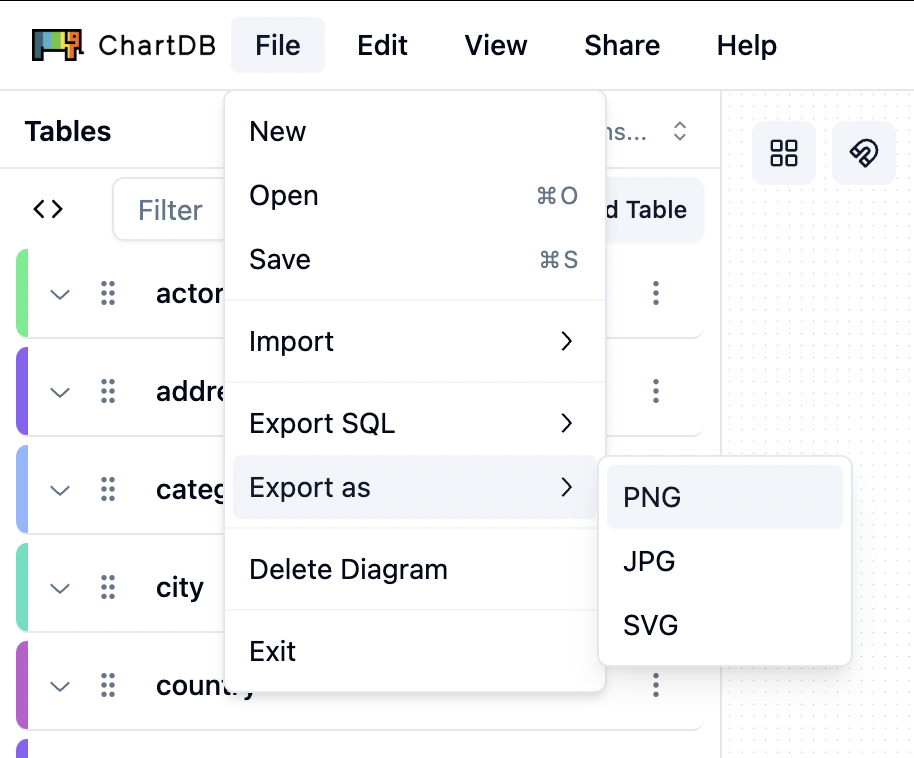
Navigate to the **File** menu in the top left corner, click **View all Options...**, and hover over **Export as**. A submenu will appear showing PNG, JPG, and SVG format options.
Save your diagrams as high-quality images in PNG, JPG, and SVG formats. This is perfect for presentations, documentation, or sharing your database design with colleagues.
## How to Export
Navigate to the **File** menu in the top left corner, click **View all Options...**, and hover over **Export as**. A submenu will appear showing PNG, JPG, and SVG format options.
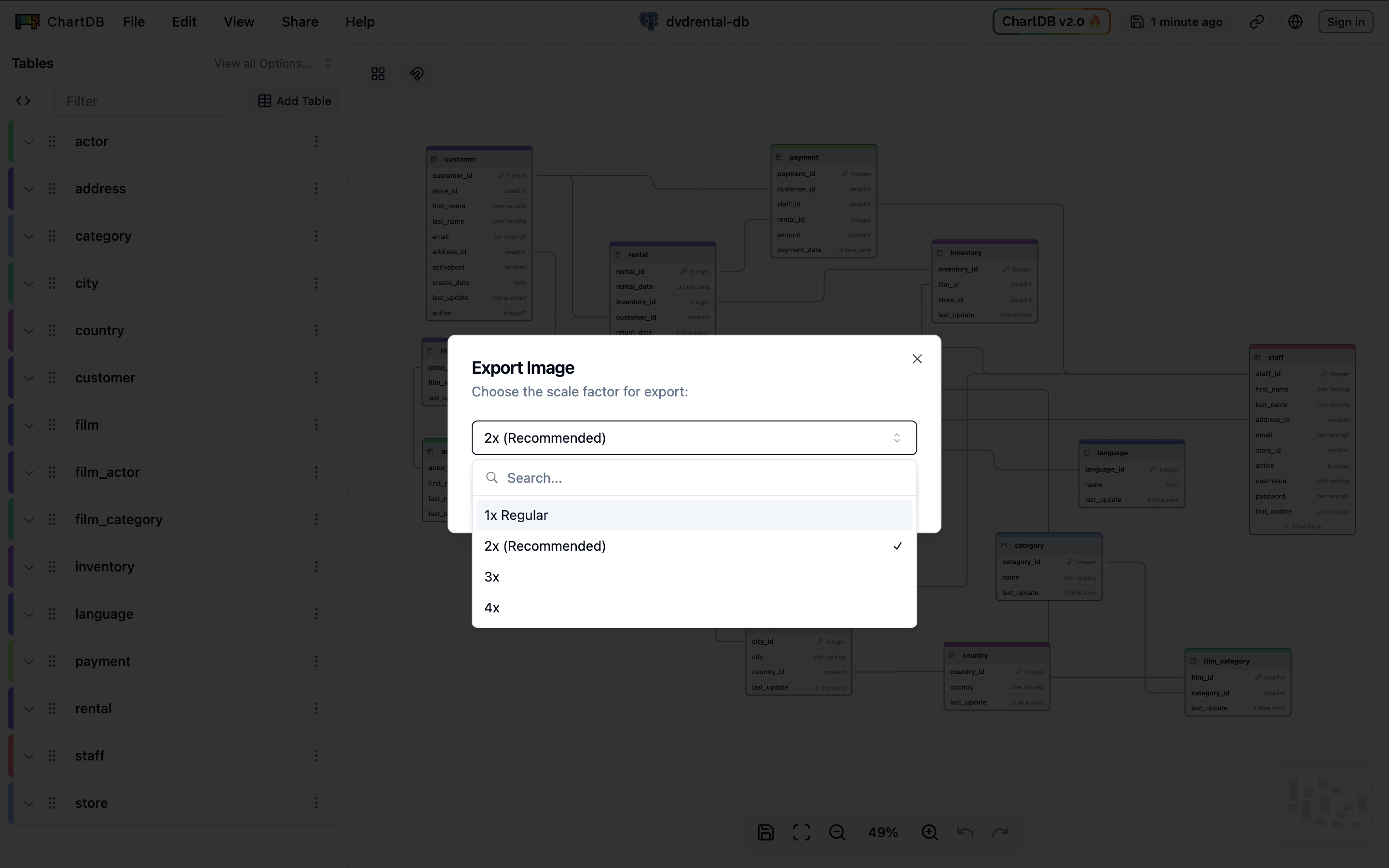
 In the Export Image modal, you can select your preferred format (PNG, JPG, or SVG) and choose a scale factor (1x to 4x). Click **Export** to save your image.
 The exported image is **based on the current view in your viewport**. Make
sure you have zoomed and panned your diagram to show the desired tables and
relationships before exporting.
## Customize Your Diagram
Want to fine-tune the appearance of your diagram before exporting? ChartDB offers powerful customization options for layouts, colors, and filters.
Learn how to customize your diagram's appearance to create visually appealing
exports.
The exported image is **based on the current view in your viewport**. Make
sure you have zoomed and panned your diagram to show the desired tables and
relationships before exporting.
## Customize Your Diagram
Want to fine-tune the appearance of your diagram before exporting? ChartDB offers powerful customization options for layouts, colors, and filters.
Learn how to customize your diagram's appearance to create visually appealing
exports.