> ## Documentation Index
> Fetch the complete documentation index at: https://docs.chartdb.io/llms.txt
> Use this file to discover all available pages before exploring further.

# Export DBML

> Export your diagram as a DBML script in ChartDB

<div style={{ position: "relative", paddingBottom: "56.25%", height: 0 }}>
  <iframe
    style={{
  position: "absolute",
  top: 0,
  left: 0,
  width: "100%",
  height: "100%",
  border: 0,
}}
    src="https://www.youtube.com/embed/uzvQw5NYaBs?autoplay=1&color=white"
    title="YouTube video player"
    frameBorder="0"
    allow="accelerometer; autoplay; clipboard-write; encrypted-media; gyroscope; picture-in-picture"
    className="rounded-lg"
    allowFullScreen
  />
</div>

<Note>
  The Export DBML feature requires an upgraded subscription on ChartDB Cloud. See our [Cloud vs Self-Hosted](/docs/cloud-vs-self-hosted) documentation for more details.
</Note>

<Steps>
  <Step title="Locate Tables List">
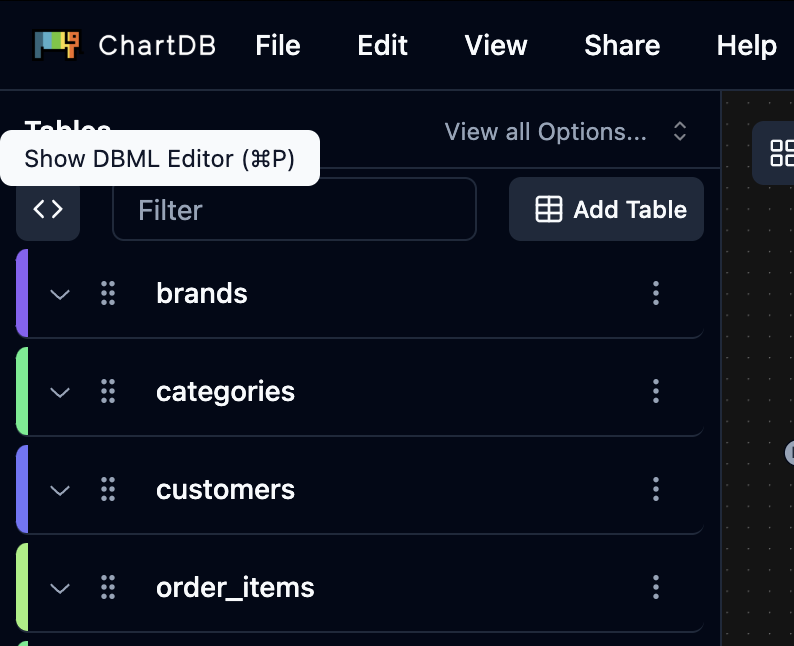
    In the editor's side panel, locate the top of the tables list on the left
  </Step>

  <Step title="Open DBML View">
    Click the **arrows button ("\<>")**

    <Frame>
      <img src="https://mintcdn.com/buckledev/Nk8pE0k5UNFAdU1u/docs/images/export-dbml-editor.png?fit=max&auto=format&n=Nk8pE0k5UNFAdU1u&q=85&s=1168a3ab1f72c84a62085dac1bd1d714" width="794" height="646" data-path="docs/images/export-dbml-editor.png" />
    </Frame>
  </Step>

  <Step title="Copy DBML Script">
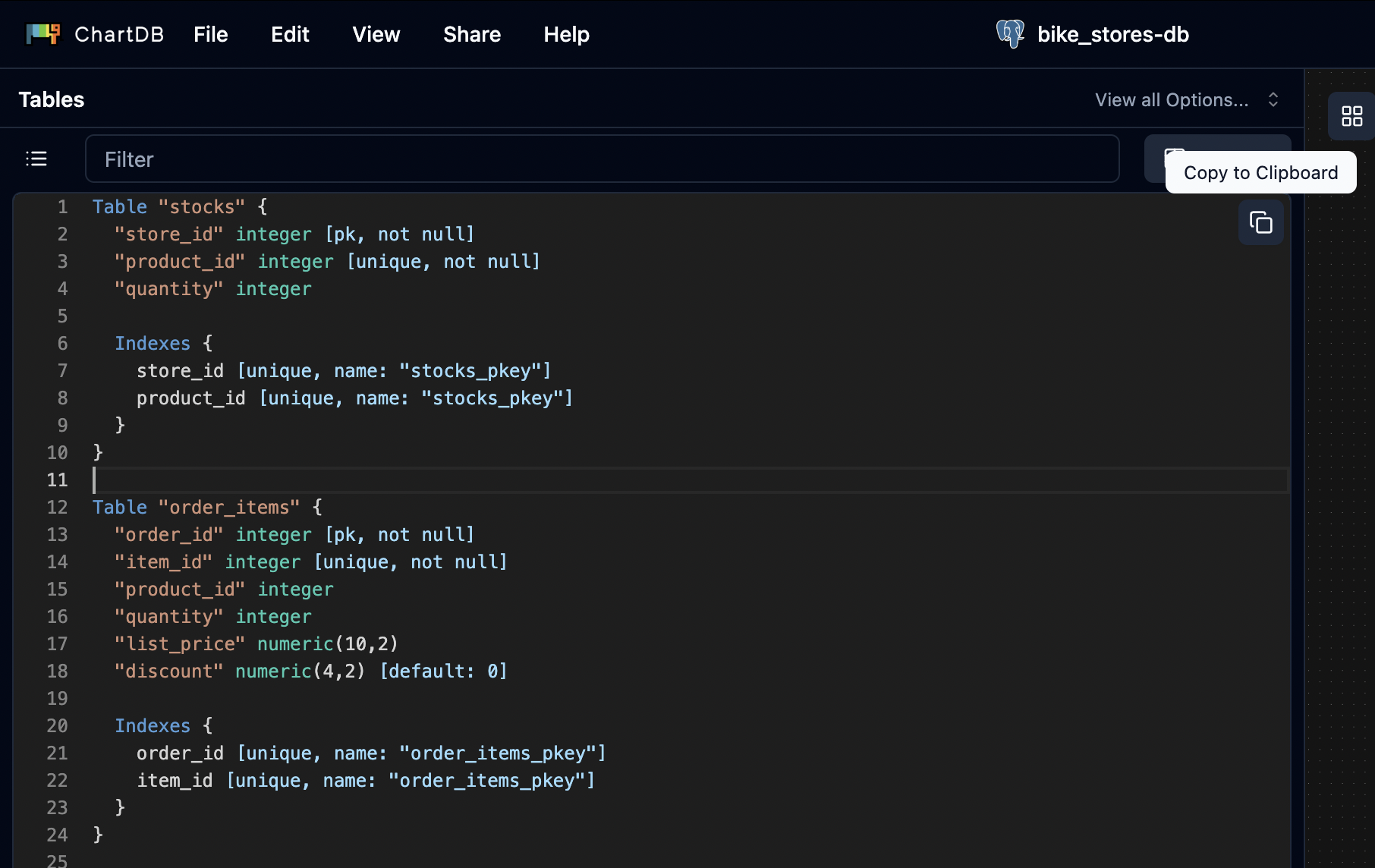
    The **DBML** script representing your diagram will be displayed. You can copy it for use elsewhere.
    <Frame>
      <img src="https://mintcdn.com/buckledev/Nk8pE0k5UNFAdU1u/docs/images/copy-dbml.png?fit=max&auto=format&n=Nk8pE0k5UNFAdU1u&q=85&s=f5063401aaad13653d6821648fda0e93" width="1812" height="1144" data-path="docs/images/copy-dbml.png" />
    </Frame>
  </Step>
</Steps>
