> ## Documentation Index
> Fetch the complete documentation index at: https://docs.chartdb.io/llms.txt
> Use this file to discover all available pages before exploring further.
# Embeded Diagrams
> API endpoints for managing database diagrams
 ## Private Access with API Keys
You can access private diagrams without authentication by using an API key in the diagram's URL. This is particularly useful for:
* Embedding private diagrams in documentation
* Sharing diagrams with specific users without requiring them to log in
* Integrating diagrams in internal tools
### Getting the Embedded Link
1. Go to your API Keys settings in ChartDB
2. Find the API key associated with your diagram
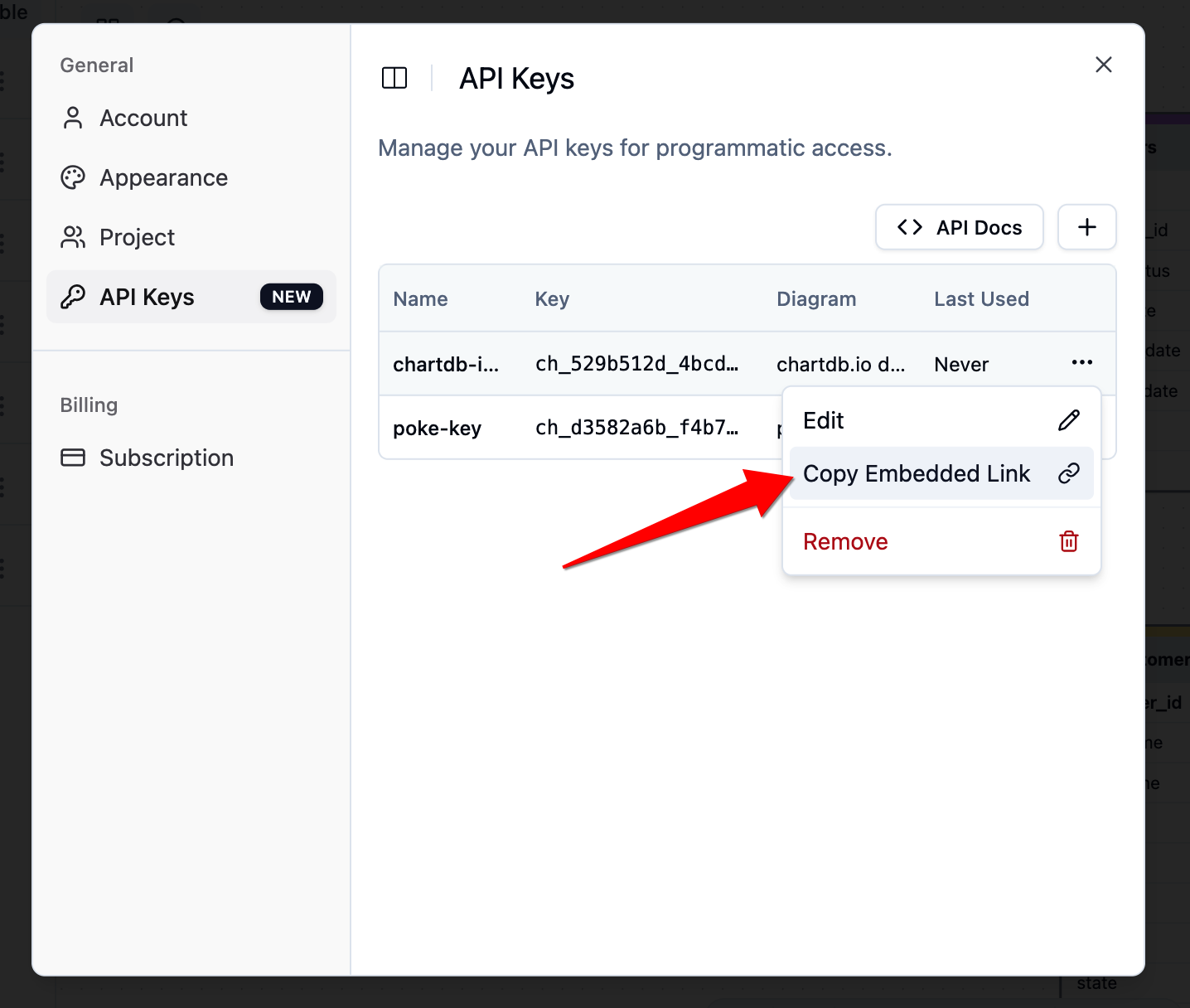
3. Click the three dots menu (⋮) and select "Copy Embedded Link"
## Private Access with API Keys
You can access private diagrams without authentication by using an API key in the diagram's URL. This is particularly useful for:
* Embedding private diagrams in documentation
* Sharing diagrams with specific users without requiring them to log in
* Integrating diagrams in internal tools
### Getting the Embedded Link
1. Go to your API Keys settings in ChartDB
2. Find the API key associated with your diagram
3. Click the three dots menu (⋮) and select "Copy Embedded Link"
 ### Usage
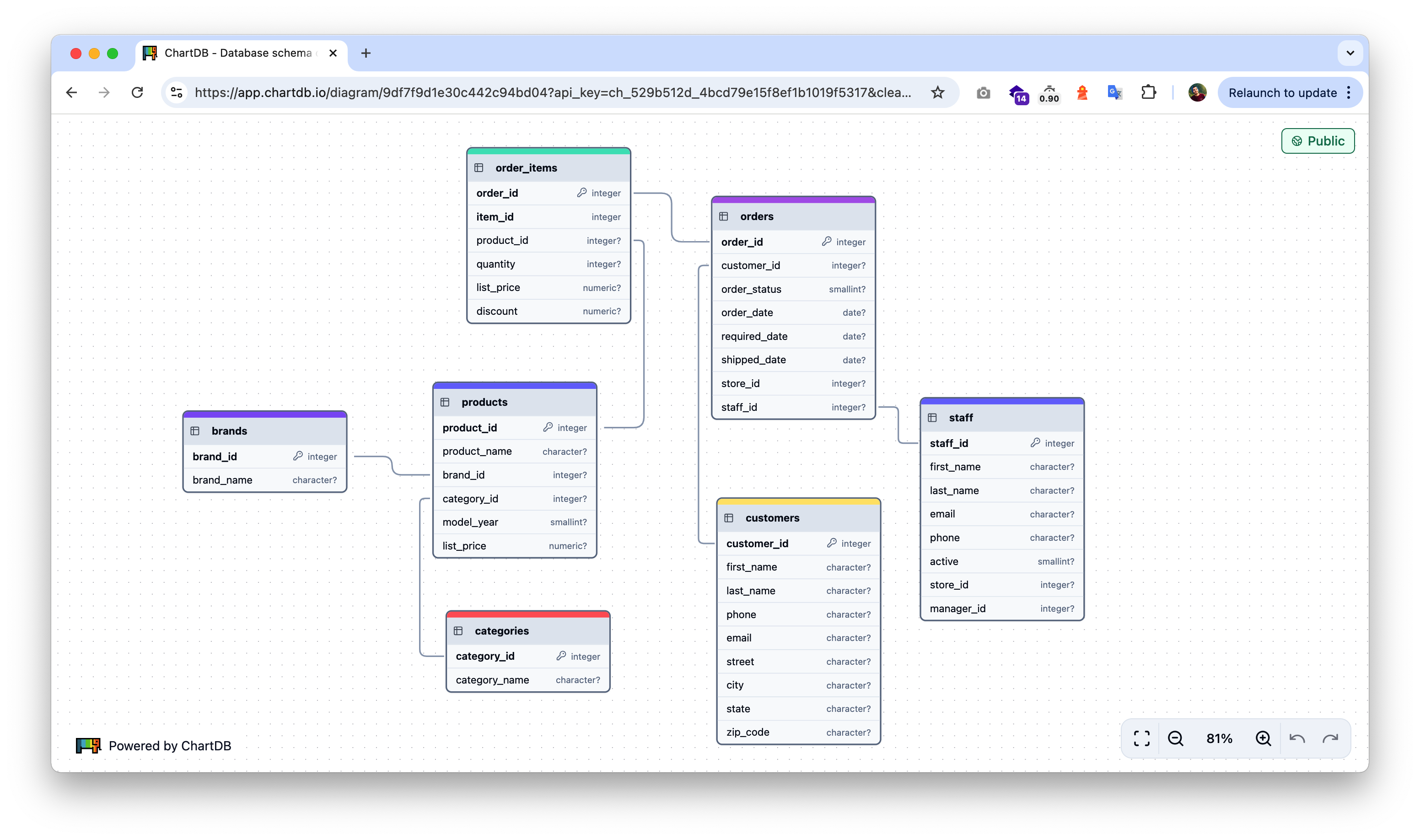
Simply append your API key as a query parameter to the diagram URL:
```
https://app.chartdb.io/diagram/{diagram_id}?api_key={your_api_key}
```
Example:
```
https://app.chartdb.io/diagram/9df7f9d1e30c442c94bd04?api_key=ch_529b512d_4bcd79e15f8ef1b1019f5317
```
### Benefits
* **No Authentication Required**: Users can view private diagrams directly through the URL
* **Granular Access Control**: Each API key can be scoped to specific diagrams
* **Secure Sharing**: Share diagrams privately without exposing them publicly
* **Easy Integration**: Perfect for embedding in documentation, wikis, or internal tools
### Security Considerations
* Keep your API keys secure and rotate them periodically
* Each API key should only have access to the diagrams it needs
* Monitor API key usage through your ChartDB dashboard
### Usage
Simply append your API key as a query parameter to the diagram URL:
```
https://app.chartdb.io/diagram/{diagram_id}?api_key={your_api_key}
```
Example:
```
https://app.chartdb.io/diagram/9df7f9d1e30c442c94bd04?api_key=ch_529b512d_4bcd79e15f8ef1b1019f5317
```
### Benefits
* **No Authentication Required**: Users can view private diagrams directly through the URL
* **Granular Access Control**: Each API key can be scoped to specific diagrams
* **Secure Sharing**: Share diagrams privately without exposing them publicly
* **Easy Integration**: Perfect for embedding in documentation, wikis, or internal tools
### Security Considerations
* Keep your API keys secure and rotate them periodically
* Each API key should only have access to the diagrams it needs
* Monitor API key usage through your ChartDB dashboard