> ## Documentation Index
> Fetch the complete documentation index at: https://docs.chartdb.io/llms.txt
> Use this file to discover all available pages before exploring further.
# Update Diagram
> Update an existing database diagram
The Update Diagram endpoint allows you to modify an existing database diagram's properties.
## Authorizations
Bearer authentication header of the form `Bearer `, where `` is your auth token from ChartDB starts with `ch_`.
## Path Parameters
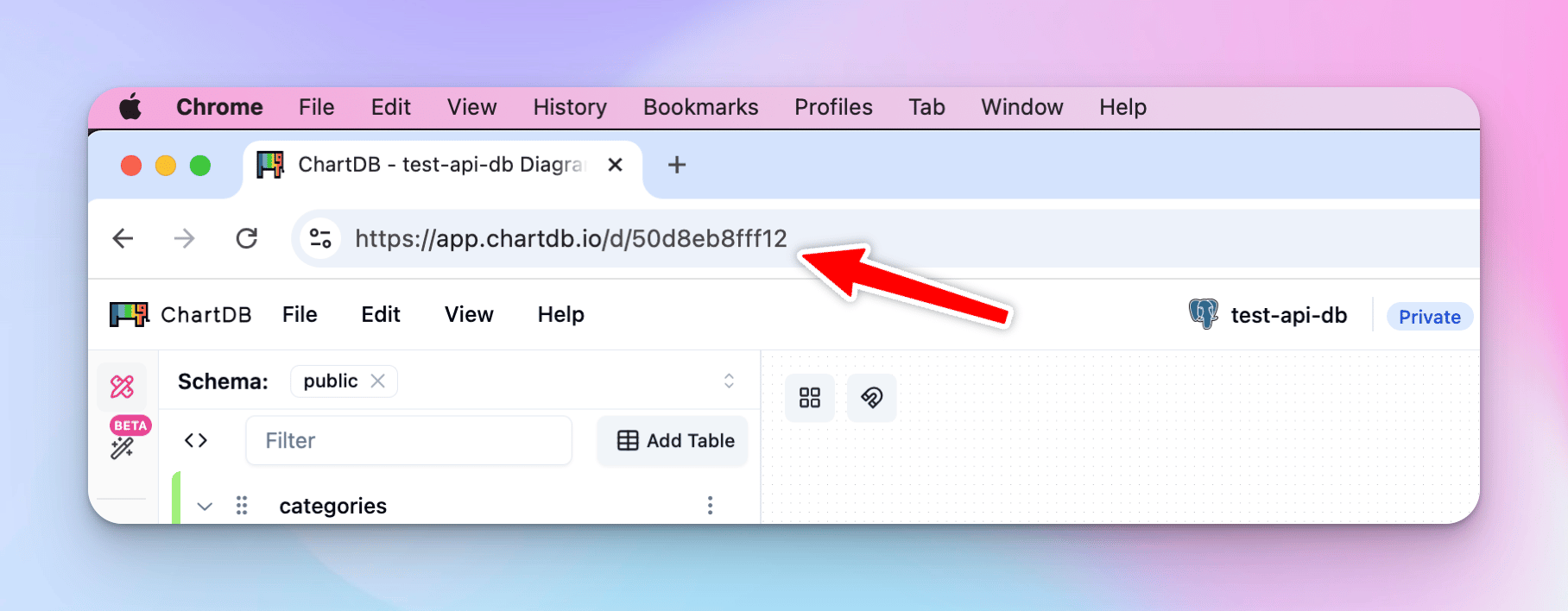
The unique identifier of the diagram.
 ## Request Body
New name for the diagram.
Updated diagram settings in JSON format. (See
[Examples](/docs/api/examples/postgresql) for more information)
```bash cURL theme={null}
curl -X POST https://api.chartdb.io/api/update_diagram/123456789 \
-H "Authorization: Bearer ch_123456789" \
-H "Content-Type: application/json" \
-d '{
"diagram_name": "Updated E-commerce Diagram",
"json_metadata": {
"fk_info": [],
"pk_info": [],
"columns": [],
"indexes": [],
"tables": [],
"views": [],
"database_name": "postgres"
}
}'
```
```json Response theme={null}
{
"status": "success",
"message": "Diagram updated successfully"
}
```
## Request Body
New name for the diagram.
Updated diagram settings in JSON format. (See
[Examples](/docs/api/examples/postgresql) for more information)
```bash cURL theme={null}
curl -X POST https://api.chartdb.io/api/update_diagram/123456789 \
-H "Authorization: Bearer ch_123456789" \
-H "Content-Type: application/json" \
-d '{
"diagram_name": "Updated E-commerce Diagram",
"json_metadata": {
"fk_info": [],
"pk_info": [],
"columns": [],
"indexes": [],
"tables": [],
"views": [],
"database_name": "postgres"
}
}'
```
```json Response theme={null}
{
"status": "success",
"message": "Diagram updated successfully"
}
```